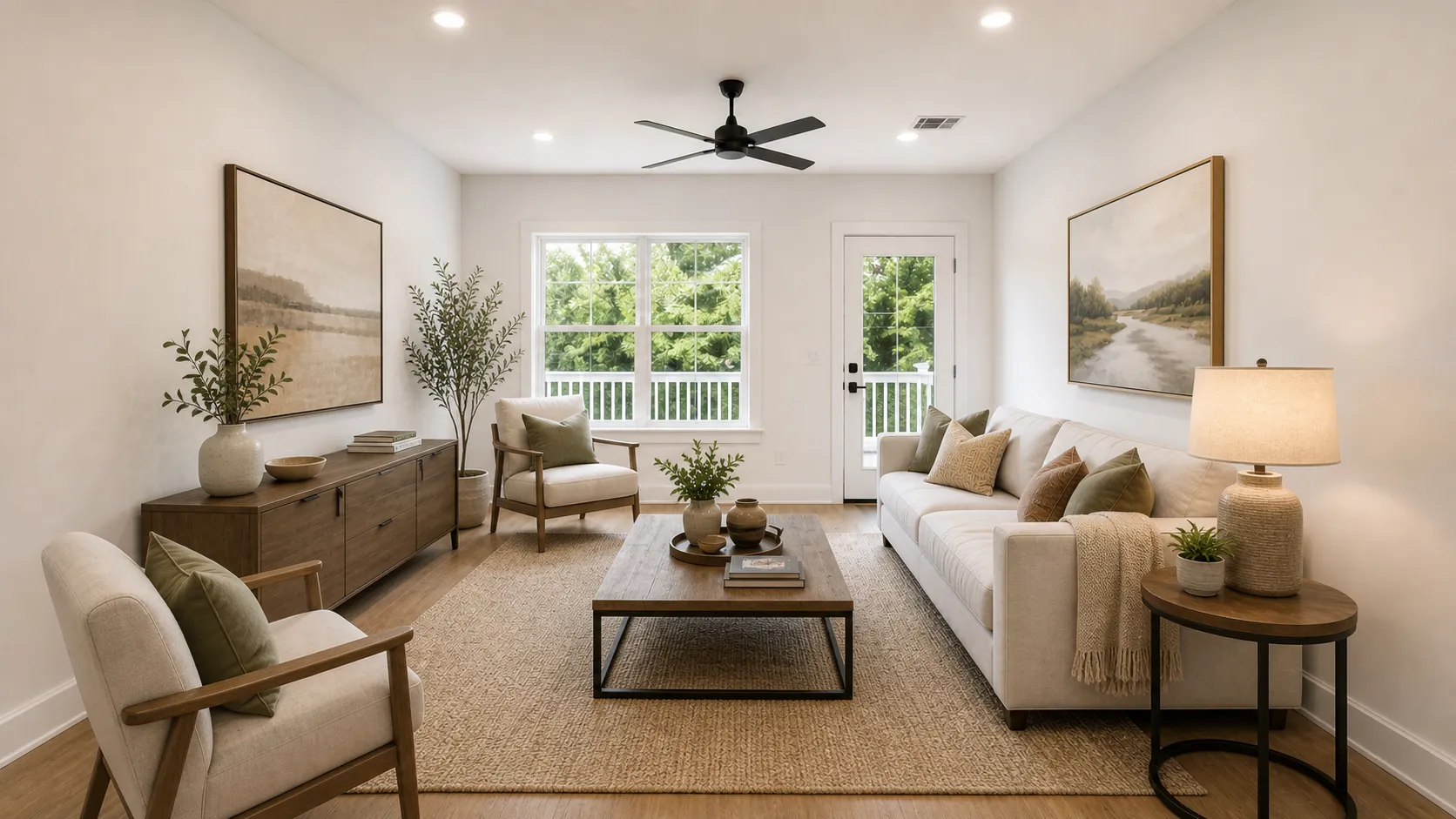
You can use AI for interior design by uploading a room photo and describing the room you want to create. Start with the room type, design direction, and a few clear project notes. Then generate several visual concept options and compare them.
If you already have a room image and a clear task, use the focused room workflow to upload it and generate a concept. Start with the AI Interior Design Generator. If the project needs references, several options, and ongoing revisions, keep them together in the connected workspace by opening ArchOne AI Studio. If you are still choosing a style or room direction, review room-by-room references and planning ideas before generating. Browse interior design ideas first.
The best results come from treating AI as an early design visualization tool, not as a replacement for measured drawings, professional judgment, or construction planning. This guide explains what to upload, what to write in the prompt, how to compare results, and where ArchOne AI fits in a real interior design process.
If room layout is still the main problem, start with the guide to space planning in interior design. It explains how to define activities, map circulation, check clearances, and compare layout options before choosing materials or style.
Key Takeaways
- AI interior design works best when you start with a clear room photo, sketch, or early render.
- The prompt should describe the room type, style direction, material goals, lighting mood, furniture level, and anything that should stay unchanged.
- Use AI to explore interior design concepts, not to confirm final dimensions, building code, electrical or plumbing plans, furniture buying decisions, or construction details.
- Generate more than one option so you can compare mood, materials, layout direction, and client-review value.
- For a faster workflow, start with a room photo and use your first result as a design study, not a final design package.
- If the project is still broad, use ideas pages or Studio to collect references before you generate.
Choose the Right ArchOne AI Path
Choose the entry point that matches your current stage. You do not have to start with the generator first. Use a focused workflow for a quick room study. Use Studio when the project needs references, options, and revisions in one place.
If you are still deciding between a quick photo restyler, an editable 2D/3D planner, and a connected concept workspace, compare AI interior design apps by workflow before choosing a starting point.
| If you are... | Start here | Why |
|---|---|---|
| Ready with one room photo | AI interior design workflow | Upload the photo, choose the room type, add project notes, and generate concept options. |
| Managing references, options, and revisions | Studio workspace | Keep source images, references, generated options, and notes together on one canvas. |
| Working through several design steps | Studio workspace | Use ArchOne AI Agent to help generate, edit, compare, and refine selected canvas content. |
| Still choosing a room direction | Interior Design Ideas | Compare room-by-room ideas, style references, and design problems before writing a prompt. |
| Working on a kitchen | Kitchen Design Ideas | Review layout, island, backsplash, cabinet, lighting, and material directions before generating. |
| Comparing whole-home concepts | House Design Ideas | Decide whether the next study should be interior, exterior, or landscape. |
This guide focuses on interiors. The same early concept logic also works for facade studies with AI Home Exterior Design and outdoor concept studies with AI Landscape Design. For a step-by-step outdoor example, read How to Use AI for Landscape Design.
What AI Interior Design Can Actually Do
AI interior design turns an input image and a text brief into visual design concepts. The input might be a room photo, a sketch, a screenshot from a model, or an early render. The output is usually a set of images that show possible interior directions.
That makes AI useful for questions like:
- What could this empty living room feel like with a warmer material palette?
- How would this bedroom look in a Japandi, Scandinavian, or modern luxury direction?
- Could this kitchen feel brighter with lighter cabinetry, warmer lighting, and a cleaner backsplash?
- What visual direction should we show a client before spending time on detailed modeling?
The important word is "concept." AI can help you see and compare design directions quickly. But it does not truly know your room measurements, construction budget, local code, furniture availability, electrical constraints, or structural limits. Those details still need to be checked separately.
That is why the strongest use case is early-stage design visualization. AI helps you move from vague intent to visual options faster.

AI interior design is most useful when the result becomes a visual starting point for review, discussion, and refinement.
Step 1: Start With the Right Room Image
The quality of the source image affects the quality of the AI result. A clear image gives the model more useful context, including the room shape, windows, openings, ceiling height, floor material, built-ins, and existing lighting.
Use the best available image for the job:
| Input type | Best for | Watch out for |
|---|---|---|
| Room photo | Real renovation ideas, client review, homeowner planning | Poor lighting, clutter, distorted wide-angle views |
| Sketch | Early concept exploration | Missing scale, vague wall and opening positions |
| 3D render | Testing material, style, furniture, and lighting direction | Results may drift if the render lacks detail |
| Screenshot | Fast visual studies from a model or moodboard | Low resolution can reduce realism |
For a room photo, try to show the main walls, floor, ceiling, windows, doors, and fixed elements. If the photo is too cropped, AI may invent missing context. If the photo is too dark, the result may overcorrect the lighting or misunderstand material colors.
Before uploading, decide what should stay recognizable. In interior design, that often includes:
- Window and door positions
- Main wall layout
- Ceiling shape
- Built-in cabinets or fireplace
- Existing flooring if it should remain
- Kitchen or bathroom plumbing locations
- Important views or daylight direction
If those things matter, say so in the prompt.
Step 2: Choose the Room Type
Room type gives AI a basic design frame. A living room, kitchen, bedroom, office, bathroom, dining room, retail interior, and hospitality space all have different needs. The furniture, circulation, lighting, and visual priorities change from room to room.
For example, a living room prompt can focus on seating layout, rug size, media wall, lighting mood, and conversation zones. A bedroom prompt should focus on bed placement, nightstands, textiles, soft lighting, storage, and a calm atmosphere. A kitchen prompt should cover cabinets, backsplash, countertops, island layout, appliance zones, and task lighting.
If those kitchen decisions are still open, use the step-by-step kitchen planning guide before generating concepts. It covers measurements, appliance specifications, layout tests, storage, lighting, and the checks to complete before ordering.
When using ArchOne AI's interior design workflow, choose the closest room type instead of leaving everything vague. If the space is mixed-use, choose the dominant use and explain the secondary function in the notes.
Example:
Room type: Living Room
Project notes: Open living and dining space. Keep the windows and floor. Create a warm modern concept with a clear seating zone and a small dining area in the background.
This is stronger than:
Make this room nice.The first version tells AI what the room is, what to preserve, what style direction to use, and how the space should function.
Step 3: Pick a Design Direction
A design direction is not just a style label. It is the visual logic that guides the result.
Common AI interior design directions include:
- Modern
- Minimalist
- Scandinavian
- Japandi
- Warm neutral
- Organic modern
- Mid-century modern
- Modern luxury
- Coastal
- Industrial
- Traditional
- Contemporary
ArchOne AI currently provides more than 50 interior style directions, including modern, Japandi, Scandinavian, traditional, rustic, bold, luxury, and commercial concepts.
The best direction depends on the room and the project goal. For a client presentation, choose a direction that communicates clearly and fits the brief. For homeowner planning, choose a direction that feels realistic for the existing room. For a material study, focus less on style names and more on finishes.
Style labels can be broad, so add specific design cues. For example:
If wall color is the main decision, use the step-by-step guide to choosing paint colors for a room, whole house, or exterior before you write the prompt. It will help you separate fixed materials, undertones, and lighting from the broader style choice.
Use a warm modern direction with light oak, off-white walls, soft beige textiles, a few matte black accents, layered lighting, and a calm mood suitable for client review.That gives more control than:
Modern style.For professional workflows, this matters. A vague style can produce a pretty image. A specific direction is more likely to produce a useful design option.
Step 4: Write a Better AI Interior Design Prompt
A good prompt should answer six questions:
- What room is this?
- What should change?
- What should stay the same?
- What style or material direction should guide the result?
- What mood or lighting should the room have?
- How will the result be used?
Here is a practical prompt formula:
Redesign this [room type] as a [style direction] interior concept.
Preserve [fixed elements].
Update [materials, furniture, lighting, color, layout direction].
Use [specific materials and mood].
Avoid [things you do not want].
Make the result suitable for [client review / renovation planning / concept presentation / design study].
Example for a living room:
Redesign this living room as a warm modern interior concept.
Preserve the window positions, ceiling shape, floor, and main camera angle.
Add a comfortable seating area, low-profile sofa, textured rug, soft curtains, layered lighting, and natural wood accents.
Use a calm neutral palette with warm beige, light oak, off-white walls, and muted black details.
Avoid oversized furniture, glossy luxury finishes, and changing the room structure.
Make the result suitable for an early client review.
Before writing the prompt, use the step-by-step living room decorating guide to settle the room's purpose, focal point, seating needs, circulation, rug, storage, and lighting priorities. The AI prompt should test those decisions, not invent them.
Example for a bedroom:
Create a quiet Japandi bedroom concept from this room photo.
Keep the window, door, floor, and wall layout recognizable.
Add a low bed, simple nightstands, warm wall lighting, linen bedding, light wood, woven texture, and minimal decor.
Use soft daylight and a calm natural palette.
Avoid heavy curtains, clutter, saturated colors, and dramatic structural changes.
Example for a kitchen:
Create a bright kitchen concept for visual planning.
Preserve the main cabinet wall, window, appliance positions, and room proportions.
Explore warm white cabinets, light oak accents, a simple stone countertop, subtle backsplash tile, and better task lighting.
Avoid changing plumbing locations or removing major walls.
Make the result feel realistic enough for a renovation discussion.
If you are working on a kitchen, compare kitchen ideas before generating your own concepts. This helps you write a better prompt. You can name the exact area you want to test, such as island seating, backsplash material, cabinet color, or task lighting.
Step 5: Generate More Than One Option
One AI result is rarely enough. Interior design decisions are comparative. A client, homeowner, or design team often needs to see two or three directions before the best path becomes clear.
Generate multiple options when you are testing:
- Warm vs cool material palettes
- Minimal vs layered furniture
- Light vs dark cabinetry
- Contemporary vs traditional mood
- Open, sparse concepts vs more furnished concepts
- Daylight vs evening lighting
- Budget-friendly refresh vs more complete renovation direction
When comparing results, do not only ask, "Which image looks nicest?" Ask more useful questions:
| Review question | Why it matters |
|---|---|
| Does the room still look like the original space? | Prevents AI from inventing an unrealistic room |
| Does the material palette fit the project? | Keeps the result usable for design discussion |
| Is the furniture scale believable? | Reduces misleading visual decisions |
| Are windows, doors, and built-ins preserved? | Protects fixed architectural context |
| Is the mood clear enough for presentation? | Helps clients understand the design direction |
| What would need professional review? | Keeps the workflow honest and practical |
This review step is what makes the AI result useful. You are not just picking the prettiest image. You are deciding which option can support the next design conversation.

Start with the real room context so you can compare the generated concept against the actual space.

Review the generated option for mood, materials, preserved structure, and usefulness in the next design conversation.
For this kind of shared space, review dining room ideas for table layout, chair clearance, lighting, wall decor, and open-plan connections before writing the next refinement note.
Step 6: Refine the Result With Specific Notes
The first generation is often a direction, not the final answer. Use it to learn what needs to be refined.
If the result is too dramatic, ask for a more restrained concept:
Make the design more realistic and renovation-friendly. Keep the same room layout, reduce decorative elements, use simpler furniture, and focus on material palette and lighting.If the result changed the room too much, reinforce preservation:
Preserve the original window positions, door openings, ceiling shape, wall layout, and floor. Do not change the structure. Only update furniture, finishes, lighting, and decor direction.If the result is visually nice but not useful for a client, add presentation intent:
Create a cleaner concept image suitable for client review. Make the design direction easy to understand, with a clear material palette and realistic furniture scale.If the result is too generic, name the materials:
Use light oak, warm white walls, honed stone, linen upholstery, brushed metal accents, soft indirect lighting, and a limited neutral palette.Good refinement is specific. Do not just say "better" or "more professional." Explain what those words mean for the room.
Step 7: Use AI Results in a Real Interior Design Workflow
AI interior design is strongest when it supports a larger workflow.
For homeowners, it can help clarify what kind of room you want before talking with a designer, contractor, or furniture supplier. You can compare visual directions before committing to a style, palette, or renovation scope.
For interior designers, it can speed up early concept development. Instead of spending hours on every visual option, you can create rough directions first. Then choose the strongest ideas and develop the selected concept with professional tools and judgment.
For architects and design studios, AI can support mood studies, material exploration, and early presentation conversations. It can help a client understand the design direction before full modeling, rendering, documentation, or purchasing decisions begin.
For students and early-stage designers, it can help translate verbal design intent into visual language. You can test whether your prompt, style language, and material choices create the mood you expected.
Once the design direction is stable, use the AI Perspective Changer to explore another camera angle from the selected render. Treat the result as a viewpoint study rather than a geometrically verified second view.
For a focused room study, the workflow often looks like this:
Project image -> AI concept options -> review and selection -> deeper design development -> professional verification
Use AI near the beginning of the design process: upload a room image, add project notes, compare concept options, and review the direction before implementation.
AI belongs near the beginning of that chain. It is a fast visual thinking tool, not the final authority.
In ArchOne AI, this workflow does not have to stay inside one generator. You can use the focused interior workflow for a quick study, or open Studio when the work needs a broader canvas. Studio keeps source images, references, generated options, notes, and revisions together. ArchOne AI Agent can use selected canvas content and your design goal as context when you ask for the next step.
That is useful when a project moves from one room image to a larger design conversation. You can compare a warm neutral version, a darker material study, a furniture-light option, and a client-facing direction without losing the original room.
Common Mistakes When Using AI for Interior Design
The most common mistake is asking for too much at once. A prompt may ask AI to change the layout, furniture, walls, lighting, colors, windows, flooring, and ceiling at the same time. The result may look impressive, but it can become hard to use.
Another mistake is ignoring the original room. A beautiful image is not useful if it changes the window position, removes a doorway, invents a larger ceiling height, or adds built-ins that do not fit the actual space.
Avoid these habits:
- Using blurry or overly cropped photos
- Asking AI to "make it beautiful" without design direction
- Forgetting to say what should stay unchanged
- Treating the first image as the final answer
- Choosing the most dramatic image instead of the most useful one
- Using AI output as if it were a measured plan
- Sending generated concepts to clients without review
A better habit is to write prompts like a design brief. Name the room, goal, constraints, materials, mood, and use case.
If ChatGPT is the tool you use to develop that brief, follow the dedicated ChatGPT interior design prompts and workflow. It shows how to collect constraints, request distinct directions, and check the visual result for spatial changes.
What AI Interior Design Should Not Replace
AI can help visualize a room, but it should not replace professional interior design work where accuracy and responsibility matter.
Do not rely on AI output for:
- Construction drawings
- Exact room dimensions
- Code compliance
- Accessibility review
- Electrical, plumbing, HVAC, or lighting calculations
- Fire safety or egress decisions
- Structural changes
- Final furniture fit
- Procurement and availability
- Budget confirmation
- Contractor instructions
This boundary does not make AI less useful. It makes the tool easier to use responsibly.
The right expectation is simple: use AI to explore the visual direction, then use professional review to make the design real.
Not every project should begin with an AI image tool. If you are deciding between image-based concepts, model-linked review, and controlled final rendering, compare interior rendering workflows before choosing the software.
When to Use ArchOne AI for Interior Design
ArchOne AI is built for early-stage design visualization across interiors, home exteriors, and landscapes. The AI Interior Design Generator is most useful when you want to turn one room image into concept options quickly. ArchOne AI Studio is better when the project needs references, multiple results, revisions, or a longer design conversation on one canvas.
Use the focused interior workflow when you need to:
- Explore several interior design directions from one photo
- Compare material palettes before deeper design work
- Create visual options for a client conversation
- Test lighting mood, furniture amount, and color direction
- Turn a sketch or render into a more polished concept
- Start from a room image and refine the prompt over time
Use Studio when you need to:
- Keep source images, references, generated results, and notes together
- Compare several directions side by side
- Continue from a selected result without losing earlier options
- Ask ArchOne AI Agent to help with a multi-step refinement
- Connect interior work with exterior, landscape, or whole-home studies
If you are still browsing inspiration, start with an ideas page. If you already have one clear room photo, start directly with the AI interior workflow. If the project has several images or decisions to compare, open Studio. If credits, higher-resolution exports, watermark-free downloads, or commercial use matter to you, review the pricing page before choosing a plan.
FAQ
Can I use AI for interior design?
Yes. You can use AI for interior design by uploading a room photo, sketch, or render. Then guide the result with room type, style, materials, lighting mood, and project notes. The output is best used as a concept visualization.
How do I use AI for interior design from a photo?
Upload a clear photo that shows the main room structure. Choose the room type, select a design direction, describe what should change, and explain what should stay unchanged. Then generate a few options and compare them against the original room.
What should I write in an AI interior design prompt?
Write the room type, desired style, key materials, lighting mood, furniture direction, preservation rules, and use case. A good prompt sounds like a short design brief.
Can AI interior design replace an interior designer?
No. AI can help with concept exploration, mood studies, and visual communication. It does not replace professional design judgment, measured drawings, code review, construction planning, or purchasing decisions.
Is AI interior design useful for client presentations?
Yes, if the results are reviewed carefully. AI concepts can help clients compare visual directions early, but they should be presented as concept studies rather than final design documents.
What is the best way to get realistic AI interior design results?
Use a clear source image and choose a specific room type. Give precise material and mood notes, preserve important room features, and generate multiple options. Avoid vague prompts and review every result before using it.
What does ArchOne AI Agent do in an interior design workflow?
ArchOne AI Agent works inside Studio. It can use your selected canvas images and design goal as context. You can ask it to generate a concept, edit a result, compare options, or refine a direction across several steps.
Should I browse design ideas before using an AI interior design tool?
Yes, if you are still unsure about the room direction. Browse room or kitchen ideas first, then bring the strongest direction into the generator or Studio as project notes.
Start Your First AI Interior Design Study
The fastest way to learn how to use AI for interior design is to try it with a real room image. Upload a room photo, choose a design direction, add project notes, and compare the first concept options against the original space.
If someone on your team asks how to use AI for interior design in a practical way, start with this small workflow: clear photo, focused prompt, several options, careful review, and professional judgment before any real project decision.
Use the result as a visual study. If the work becomes broader, continue in ArchOne AI Studio with your references, options, and revisions on one canvas. If you are not ready to upload yet, start with interior or kitchen ideas. Then refine the direction, discuss it, and bring professional judgment into the next stage.