

Standard Home Office
70-120 sq ft / 6.5-11 sq m
Plan a standard home office around a comfortable desk, closed storage, task lighting, and a camera-friendly background for daily work.
Choose your cookie settings
We use necessary cookies for sign-in, security, and features you choose. Analytics, marketing services, and proactive third-party sign-in prompts that use browser identifiers load only after you consent; authentication services may load immediately when you choose to sign in. View the Cookie Policy
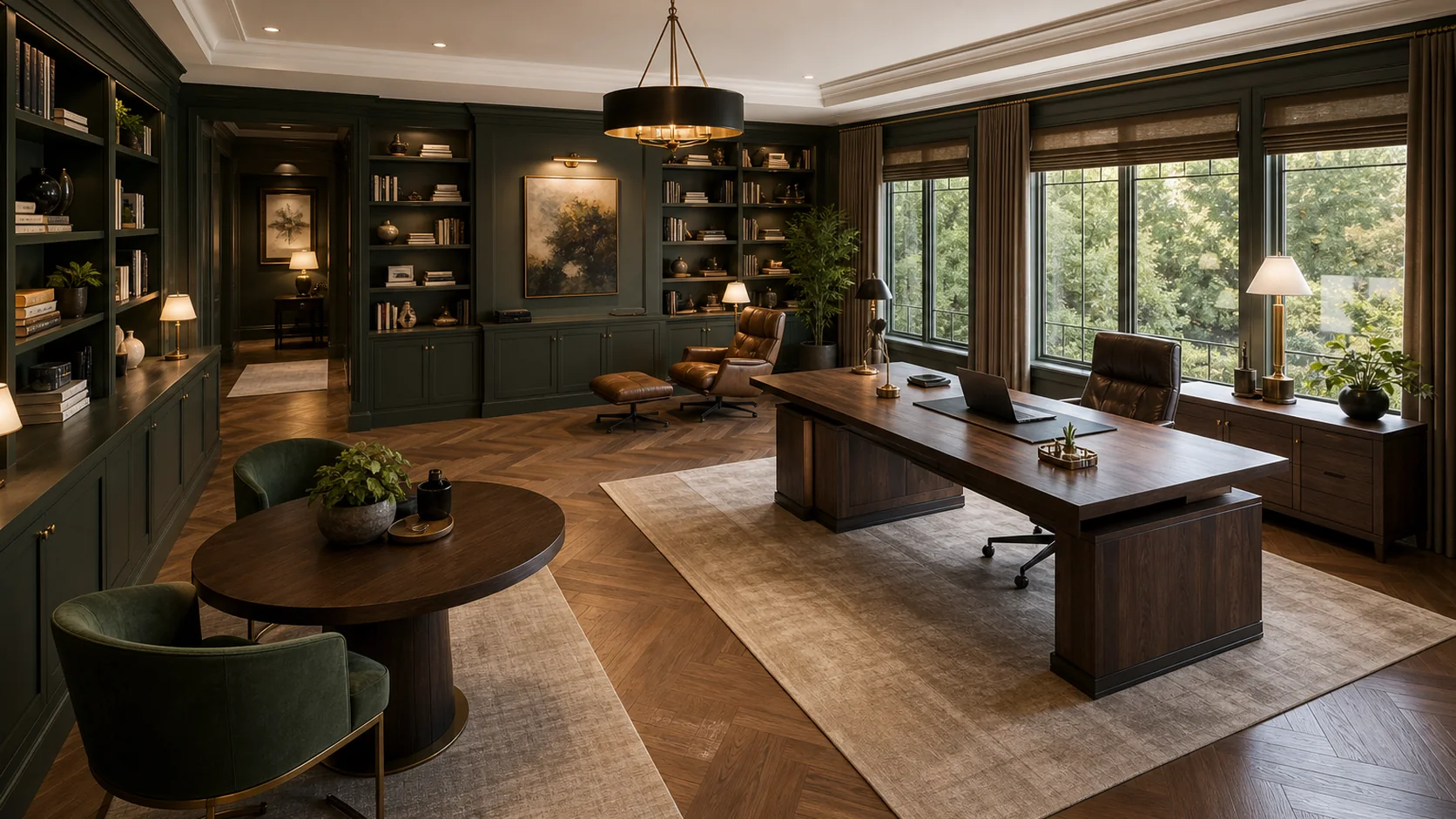
Explore home office ideas for desk placement, built-in storage, lighting, color palettes, materials, and video-call backgrounds. Use these concepts to plan a workspace that feels calm, practical, and ready for real work.
Start with the space you actually have. A compact office needs clear chair movement and vertical storage, while a larger room can add deeper shelving, a reading chair, or an occasional guest area. Working with a nook, closet, or room under 70 square feet? Compare practical small home office layouts for desk clearance, vertical storage, glare control, and cable planning.

30-70 sq ft / 3-6.5 sq m
Use compact home office ideas for nooks, bedroom corners, and small spare rooms where chair clearance, monitor distance, and vertical storage matter most.
Explore Compact Home Office Ideas70-120 sq ft / 6.5-11 sq m
Plan a standard home office around a comfortable desk, closed storage, task lighting, and a camera-friendly background for daily work.

120+ sq ft / 11+ sq m
Use a spacious home office to separate desk work, reading, storage, and guest or client seating without crowding the main work zone.
Choose a style that matches how your office needs to feel: quiet and minimal, warm and layered, library-like, or polished for client calls. Each direction changes the desk, storage, color palette, lighting, and video-call backdrop.
Before you commit to a layout or style, check whether it supports long work sessions, clear storage, comfortable lighting, and a video-call background you can actually use. A good home office should look calm and work hard.
Compare home office, bedroom, and living room ideas when work zones, storage, lighting, and call backgrounds overlap.

For tight work zones that need a desk, storage, task lighting, and a calm video-call background.

For bed wall, closet, lighting, color, textile, and layout ideas in private rooms.

For seating, focal walls, media storage, rug sizing, lighting, and open-plan living spaces.

For compact bedrooms where bed placement, wardrobes, lighting, and hidden storage matter most.
Still have questions? Contact us.
Start with the work you do most often. A good home office idea should improve desk comfort, screen position, storage, lighting, focus, or the background people see on calls. If an idea looks attractive but makes chair movement, cable control, or daily storage harder, it is probably the wrong direction.
The best layout keeps the desk comfortable, the screen readable, and the main work surface easy to reach. Place the desk where daylight helps without reflecting on the monitor, leave enough room for the chair to pull back, and keep storage close enough that paper, chargers, and supplies do not pile up on the desk.
Small home offices work best with a compact desk, vertical shelving, closed storage, controlled cables, and a clear chair zone. Use lighter surfaces when the room feels tight, but do not rely on color alone. The real win is giving every daily item a place off the main work surface.
Place the desk where you can use daylight without glare. A side window is often easier to control than a window directly in front of or behind the screen. Also check outlets, chair clearance, door swing, monitor distance, and the wall that will appear behind you during video calls.
Use closed storage for files, printers, chargers, cables, and supplies you do not need to see every day. Keep open shelves for a smaller number of books, boxes, art, or project references. A clean home office usually has a mix of hidden storage, one useful display area, and a desk surface that is not asked to hold everything.
Start by controlling daylight and screen glare, then add soft ambient light for the room and a focused task lamp for writing, reading, and keyboard work. If you take video calls, add gentle background or side lighting instead of a bright light behind your head. Decorative fixtures should come after the work lighting is solved.
Keep the wall behind your chair simple, intentional, and not too busy. Shelves, art, plants, closed storage, or a painted wall can work well if they are edited and softly lit. Avoid clutter, reflective glass, and strong backlighting that makes your face look dark.
Balanced colors usually work better than extreme contrast. Warm whites, soft greens, muted blues, greige, oak, walnut, and small black or brass accents can feel focused without looking cold. Use stronger colors on built-ins, one feature wall, or accents instead of covering every surface at once.
Choose a desk location that does not block the bed, closet, or guest circulation. Use a smaller desk, wall shelves, closed baskets, or a built-in niche so the office can disappear visually when the room is used for sleeping or guests. If possible, keep the work wall calm so the room does not feel like an office all the time.
Yes. Upload a home office, spare room, bedroom corner, or study photo, then choose Home Office and a design direction. Add notes about what should stay, what should change, and what problem you want to solve, such as storage, lighting, desk placement, or a cleaner video-call background.
Mention the desk placement, storage needs, screen setup, lighting, style, wall color, call background, and anything that must stay recognizable. Good prompts are specific about the problem, not just the style. For example, ask for a warmer built-in office with closed storage and less screen glare, not only a modern home office.
No. AI images are useful for early visual exploration and comparing design directions. Final dimensions, ergonomics, electrical work, built-ins, accessibility, budgets, and implementation decisions still need professional review before anything is built or ordered.
Last updated: September 16, 2026

Upload a room photo, choose from home office design ideas, and add notes about the desk, storage, lighting, call background, and anything that should stay recognizable.
Compare home office design ideas for compact corners, built-in desk walls, shared workspaces, library-style studies, and calm video-call backgrounds. Look for layouts, storage, and lighting choices that match how you actually work.
A good-looking office can still feel cramped if the desk is too shallow, the chair cannot move, or the screen sits too close. Use these measurements to keep your layout comfortable before you refine style, storage, and finishes.
Use these as visual planning references, not construction dimensions.

Choose colors that support focus during the day and still look clean on video calls. Start with a main wall or built-in color, add a steady desk or floor material, then use one accent so the room feels finished without becoming distracting.
Recommended Palettes
Create a Palette
Choose one starting color.
Suggested Visual Balance
Why this works
Warm white carries the room, oak adds comfort, and the sage and black details stay controlled so the workspace feels bright but not flat.
Choose materials around how the office is used each day: screen work, calls, storage, writing, and chair movement. Start with one main surface, then add acoustic, daylight, cable, and background details where they solve a real problem.
Pick one main material, then see which quiet materials and accent details pair well with it.
Choose the surface or finish people notice first.


These calm the room and support the main material.


Use these in small doses for warmth, contrast, or rhythm.


Good home office lighting starts with screen comfort, not decorative fixtures. Control daylight and glare first, then add ambient light, task light, and soft background light for calls and evening work.
Use these four layers to decide what each light should solve: glare, room brightness, desk tasks, and the background people see on calls.

Control window light before adding more fixtures so the screen stays readable and the room still feels bright.
Place the screen at an angle to windows when possible
Use shades, blinds, or curtains to soften direct daylight
Avoid strong backlight behind your head during video calls

Use ambient lighting as the base layer that keeps the room comfortable without creating a harsh contrast around the screen.
Keep the room softly lit before adding feature lights
Avoid a single bright ceiling light directly behind or above the monitor
Use dimmers or separate controls for daytime work and evening focus

Task lighting should reach the keyboard, paper, and reading zones without shining into the screen or your eyes.
Place the task lamp beside the work area, not directly into the screen
Use adjustable fixtures when the desk supports several tasks
Aim the light at the work surface and away from glossy monitors

Background lighting adds depth behind the desk by softly highlighting shelves, art, books, or built-ins without distracting from work.
Use shelf lights or picture lights on selected background features
Keep background light softer than the desk task light
Avoid bright points aimed toward the camera during calls


