

Medium Kitchen
150-250 sq ft / 14-23 sq m
Choose kitchen design ideas that balance prep counters, seating, storage, and circulation.
Choose your cookie settings
We use necessary cookies for sign-in, security, and features you choose. Analytics, marketing services, and proactive third-party sign-in prompts that use browser identifiers load only after you consent; authentication services may load immediately when you choose to sign in. View the Cookie Policy
Explore kitchen design ideas by workflow, layout, materials, color, lighting, and styling. Upload your own kitchen photo. Generate AI concept options for a real space.
Kitchen size affects storage, prep space, seating, islands, and walking paths. Start with the closest size range. Choose ideas that fit before generating a concept.

100-150 sq ft / 9-14 sq m or smaller
Use small kitchen design ideas that protect clear paths, prep surface, and compact storage.
Explore Small Kitchen Design Ideas150-250 sq ft / 14-23 sq m
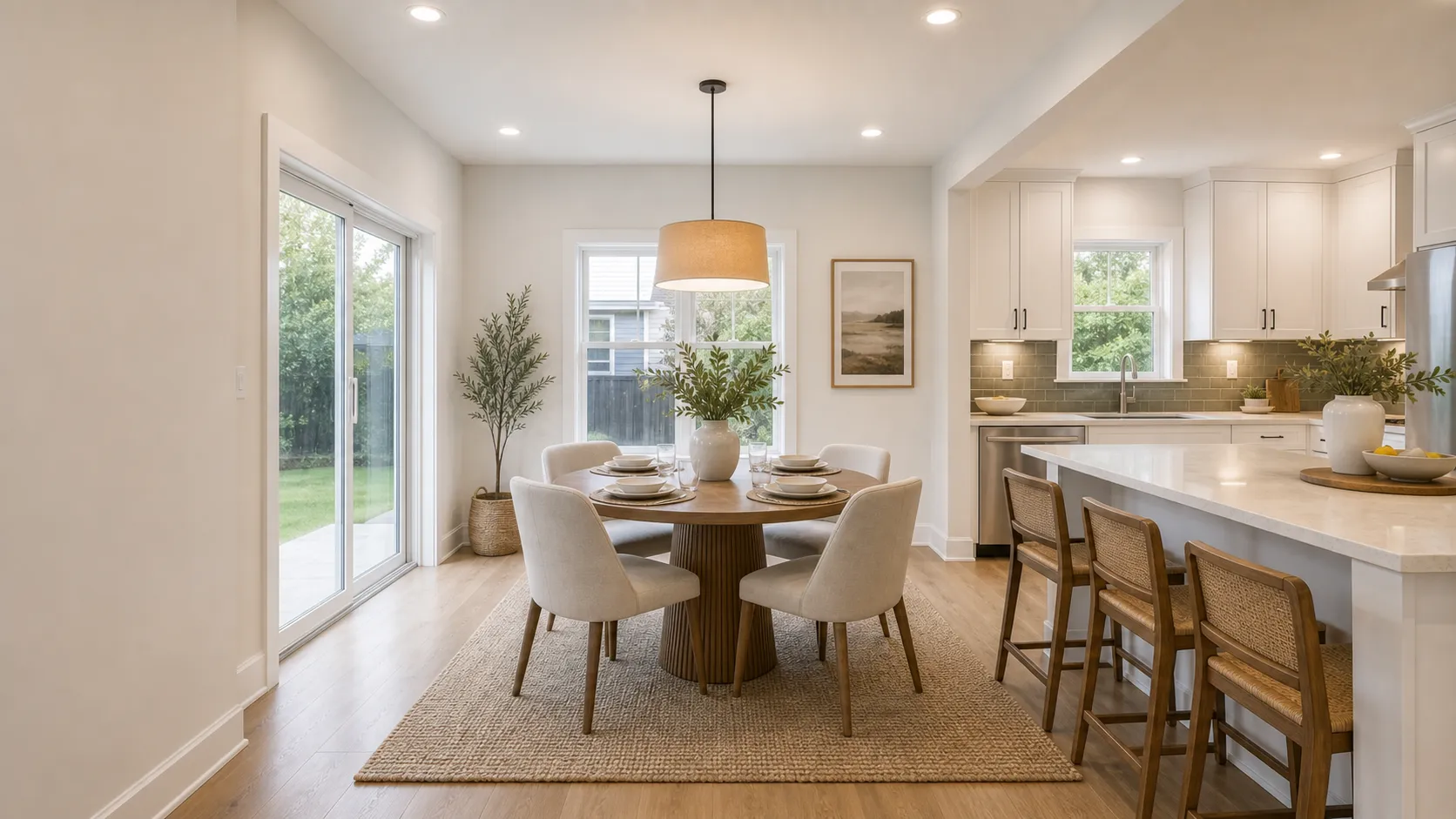
Choose kitchen design ideas that balance prep counters, seating, storage, and circulation.

250+ sq ft / 23+ sq m
Look for kitchen design ideas that connect islands, pantry storage, work zones, and lighting.
Style sets the visual direction for kitchen design ideas: cabinet lines, materials, colors, lighting mood, and decor. Pick a style you like, then adapt it to your kitchen size and daily use.
Use these checks before you choose or generate a kitchen concept. A good idea should support cooking, storage, lighting, movement, and daily use.
Compare nearby kitchen, laundry, and living-space ideas that often shape storage, lighting, and everyday traffic around the kitchen. Before you order cabinets or appliances, follow this step-by-step kitchen planning guide. When the eating zone needs its own table, lighting, storage, and chair-clearance plan, continue with Dining Room Ideas.

For compact kitchens where storage, appliance clearances, counters, and walking paths need tighter planning.

For cleaner cabinet lines, simple hardware, islands, integrated lighting, and modern kitchen material direction.

For washer dryer layouts, cabinets, hampers, folding space, sinks, and utility-room storage.

For seating, focal walls, media storage, rug sizing, lighting, and open-plan living spaces.
Still have questions? Contact us.
Start with how the kitchen should work. A good idea should improve cooking flow, storage, counter space, lighting, or movement. If it makes daily use harder, skip it.
Keep the walking path clear. Use vertical storage, lighter surfaces, compact appliances, and simple materials so the room feels open.
Use style to set the visual direction. Pick one that fits your light, cabinet shape, and comfort with contrast. Then adapt materials, colors, and lighting to your kitchen size.
Start with the main work zones: sink, cooktop, refrigerator, prep space, and storage. Keep enough clearance for doors, drawers, seating, and walkways.
Pick the feature that matters most first. If the backsplash is bold, keep nearby surfaces quieter. If the island is the focus, check seating, clearance, storage, and lighting around it.
Yes. Upload a kitchen photo, sketch, render, or reference image. Choose Kitchen, pick a design direction, and add notes. ArchOne AI can generate visual concept options from that input.
Mention the style, layout, cabinets, island, backsplash, storage, lighting, and colors you want. Add clear keep and change notes, such as keep the windows or change the cabinet color.
No. AI kitchen images are for early visual exploration. Final dimensions, cabinet details, electrical, plumbing, ventilation, permits, and installation need professional review.
Last updated: September 15, 2026

Upload a kitchen photo. Choose a design direction. Add notes about what should improve, what should stay, and which ideas you want to explore.
Browse kitchen ideas for layouts, cabinets, backsplashes, islands, lighting, storage, and material direction. Use the ones you like as inspiration for your next kitchen concept.
Measurements help keep kitchen ideas realistic. Check clearance, seating, prep space, backsplash height, and walkways before you choose finishes or generate a concept.
Use these as visual planning references, not construction dimensions.

Color choices shape the whole kitchen mood. Pick one main surface, one support tone, and one small accent before you generate or compare concepts.
Recommended Palettes
Create a Palette
Choose one starting color.
Suggested Visual Balance
Why this works
Warm whites, oak, stone, black, and brass keep the kitchen calm while still giving it enough material contrast.
Materials can make a kitchen feel calm or cluttered. Start with cabinets, counters, backsplash, or flooring. Then pair simpler finishes and small accents around that choice.
Pick one main material, then see which quiet materials and accent details pair well with it.
Choose the surface or finish people notice first.


These calm the room and support the main material.


Use these in small doses for warmth, contrast, or rhythm.


Layered lighting helps a kitchen work for cooking, cleaning, dining, and mood. Start with task lighting. Then add ambient, accent, and decorative fixtures.
Use the four lighting layers to judge what each fixture should do, then combine them so the kitchen works throughout the day.

Use ambient lighting as the base layer that keeps the whole kitchen readable and safe to move through.
Keep the room evenly lit before adding feature lights
Avoid placing all ceiling light only down the center of the room
Use dimming when the kitchen shifts from cooking to dining

Task lighting should reach the real work surfaces: counters, sink, stove, prep zone, and island.
Use under-cabinet lighting where upper cabinets block ceiling light
Keep shadows off the cutting, washing, and cooking zones
Make island pendants functional only if they actually light the surface

Accent lighting adds depth by highlighting selected materials, shelves, backsplash, or cabinet details.
Highlight only one or two features so the kitchen does not feel busy
Use accent light after the main work lighting is already solved
Good targets include open shelves, glass cabinets, backsplash, and toe-kick lines

Decorative lighting gives the kitchen a visual focal point, but it should not replace the work light.
Use pendants, chandeliers, or statement fixtures for scale and style
Check height, glare, and sightlines before treating pendants as task light
Let the fixture support the kitchen style instead of competing with every surface


